"Can we get this campaign live next week?” - Introducing Webflow Campaigns
21 October 2026
Meet Webflow Campaigns, a new way for marketing teams to turn a brief into landing pages, matching ads and a measurable campaign.
It is a familiar question. There is an event to promote, a new service to launch or an opportunity that needs a quick response. The marketing plan is ready. The landing page is another matter.
Your design agency creative team has a full schedule. Development has a backlog. By the time the page, creative and forms are ready, next week is looking ambitious.
Webflow Campaigns is designed to tackle that exact issue. Launched on 20 October 2026, it brings campaign creation and launch into a standalone product built for marketers.
At Show + Tell, as a webflow agency in Leeds, the appeal is clear: give marketing teams more control over delivery and more time to improve what their campaigns actually achieve. Here is how it works, what we think it could offer and what to know about pricing.
What is Webflow Campaigns?
Webflow Campaigns is an AI assisted tool for creating branded campaign landing pages, audience variations and matching ad assets, with publishing and reporting connected. It works independently of your main website.
That makes it relevant beyond businesses already using Webflow. A team with a WordPress website can use Campaigns alongside it, without migrating its core site.
The practical promise is fewer separate production steps between agreeing a campaign and putting it in front of an audience.
How does Webflow Campaigns work?
1. Establish your brand and brief
Campaigns extracts a reusable design system from your existing website. You provide the campaign inputs and can use an AI agent to develop the brief.
Start with a clear audience, offer and desired action. A brief that says “generate enquiries” leaves plenty open to interpretation. A brief that identifies a particular buyer, their problem and the reason to respond gives the work a much stronger foundation.
2. Create the page and supporting creative
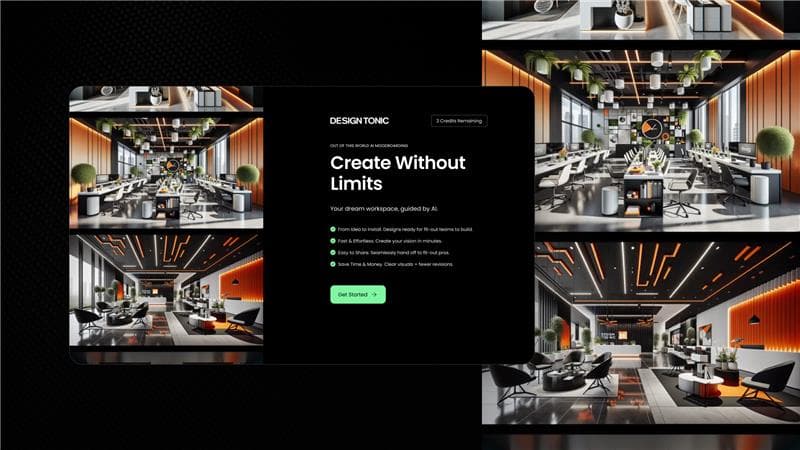
From that brief, Campaigns generates landing pages and matching ads. You can edit the copy and layouts in a visual canvas, then create versions for different audiences, each with its own URL.
For example, imagine a B2B technology business promoting the same service to finance directors and operations directors. The first page might focus on cost visibility. The second could lead with time saved. The service stays the same; the argument becomes more relevant.
3. Connect lead capture and publish
Campaigns supports HubSpot and Marketo forms and publishes pages to a chosen subdomain. Its Google Ads integration supports setting up and launching Performance Max campaigns.
This is where a little preparation matters. Agree who owns the domain setup, where enquiries should go and who follows them up. Test the complete journey before spending money on traffic.
4. Measure and improve
Built in reporting covers sessions and conversions. HubSpot and Salesforce CRM integrations help connect activity to pipeline, while AI insights suggest improvements.
For B2B teams, we would look beyond the number of form submissions. Are the right businesses responding? Are the enquiries turning into useful conversations? A page that attracts fewer, better prospects may be doing the more valuable job.
What are the benefits for marketing teams?
More control over launch timing
Our view is that Campaigns could be particularly useful when straightforward campaign work repeatedly gets caught behind larger website projects. Giving marketers the ability to create and refine pages could reduce those delays, once the initial setup and approval process are in place.
A more consistent journey from ad to page
A strong ad creates an expectation. The landing page needs to carry it through. If the ad promises a practical guide for manufacturing leaders, the page should make that guide immediately obvious and give those leaders a reason to download it. Building the assets around one brief could make that consistency easier to maintain.
More room to test useful ideas
When every variation needs another production request, teams tend to ration their ideas. A quicker workflow could make it easier to explore a sector specific message or a different offer. The discipline is to decide what you want to learn before producing more versions.
How much does Webflow Campaigns cost?
As of 21 October 2026, Webflow says Campaigns is available to purchase, but its public product page directs buyers to contact sales rather than listing a fixed subscription price. You will need a quote to confirm the cost and what is included.
We would ask about user access, campaign and page allowances, traffic limits, AI usage, integrations, onboarding and contract length. These are questions to clarify with sales, rather than confirmed pricing conditions.
For budgeting, allow for media spend and any support you need with strategy, copy, creative, setup and measurement as well as the product itself. Ask Webflow to distinguish those costs in its proposal.
Which Webflow plan do you need?
Campaigns is presented as a separate product, rather than a feature unlocked by a particular website hosting package. Your main site does not need to use Webflow. The public information does not specify a required Webflow Site or Workspace tier for purchasing Campaigns.
If you already pay for Webflow, check the Campaigns commercial terms with sales rather than assuming your existing subscription includes it.
Our first take: where could Webflow Campaigns make a difference?
Based on the launch information, we see the strongest potential for B2B teams running regular paid campaigns, webinars, events or focused activity for target accounts. These are situations where a relevant page needs to be ready while the opportunity is still there.
The value will depend on your starting point. If page production is a recurring constraint, reducing the work involved could be significant. If you launch a handful of pages each year and your current process works well, a separate product needs a stronger commercial case.
We would assess it against a real brief: how closely does the output reflect your brand, how much editing does it need and how reliably do leads reach your team? Compare the total cost with your existing process and measure the quality of the result as well as the time saved.
This is our assessment of the published launch information, rather than a hands on product review. We would want to validate those points in a demo or pilot before recommending a rollout.
What still needs human input?
Campaigns can help with production. Your team still needs to decide what makes the offer compelling, which claims you can substantiate and what a good enquiry looks like.
Before launch, review the copy, brand execution, mobile experience, accessibility, forms and tracking. Agree the appropriate cookie and privacy setup. Someone also needs to own approvals and the response to new leads.
Faster production is valuable when it helps a strong idea reach the right people. The commercial goal should stay at the centre of the process.
Webflow Campaigns FAQs
Can I use Webflow Campaigns with WordPress?
Yes. Webflow says Campaigns works independently of your CMS, including WordPress. You do not need to rebuild your main website to use it.
Does Webflow Campaigns replace designers and developers?
Our view is that it could reduce routine production requests. Specialist input will still be useful for distinctive creative, complex requirements, integrations and quality assurance. The right balance depends on the campaign.
Does personalisation mean every visitor sees an automatically tailored page?
The launch information describes audience versions with separate URLs. That lets you send different groups to different messages. It should not be read as a promise that every visitor is automatically identified and shown a personalised experience.
Is Webflow Campaigns worth it?
It is worth assessing if campaign production regularly limits your marketing activity. The answer will depend on the quote, the work required to get usable output and whether the resulting campaigns generate enough value to justify the investment.
Want your next campaign to move faster?
At Show + Tell, we bring brand, digital and marketing expertise together to help B2B businesses turn plans into action.
If your campaigns keep getting stuck between the brief and the build, talk to us about a better workflow. We can help you assess where Webflow Campaigns could fit and what you need around it to make the investment worthwhile.
Get in touch: https://showandtell.agency/contact-us
Related News


.jpg&w=1200&q=75)